
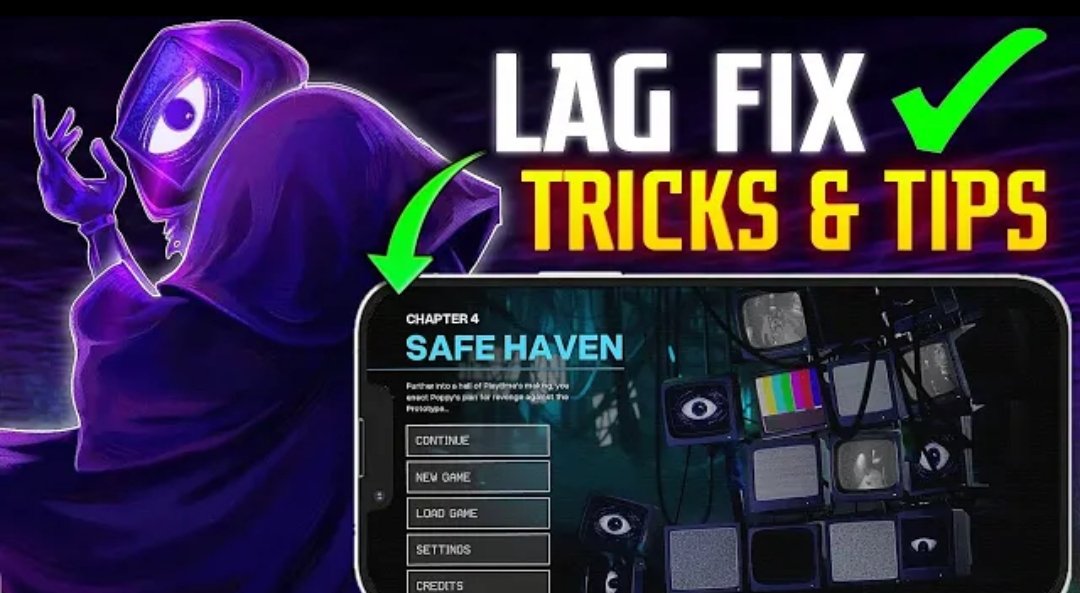
How to Fix Poppy Playtime Chapter 4 Lag on Mobile
Is Poppy Playtime Chapter 4 lagging on your Android phone? FPS drops, stuttering, freezing, overheating, and occasional crashes can make the game difficult to enjoy.
Poppy Playtime Chapter 4 is available officially on Android through Google Play, but performance can vary between devices. Player reports also show that some Android devices experience freezing or crashes in particular sections of the game.
If Chapter 4 is running poorly on your phone, try these troubleshooting steps.
1. Lower the Graphics Settings
If your version of Poppy Playtime Chapter 4 provides graphics or performance options, start by lowering them.
Try:
- Lowering graphics quality
- Reducing resolution if the option is available
- Lowering shadows or visual effects
- Using the lowest available performance preset
Lower settings reduce the amount of work your phone has to do when rendering the game.
2. Close Background Apps
Before starting Chapter 4, close apps that you are not using.
Browsers, social media applications, video editors, and other games can use memory and processing resources. Closing unnecessary apps may leave more resources available for the game.
If your phone has been running for a long time, restarting it before playing can also be worth trying.
3. Keep Your Phone Cool
Does the game start smoothly but become laggy after playing for a while?
Heat could be part of the problem.
When a phone becomes very hot, its performance can decrease. Try taking a break and allowing the device to cool naturally before playing again.
Avoid covering the phone while gaming, and don’t use unsafe cooling methods.
4. Free Up Storage Space
Check your phone’s available storage.
If your device is almost full, consider removing unnecessary files and apps that you no longer need.
Don’t manually delete folders or files belonging to Poppy Playtime unless you know exactly what they contain, because doing so could cause problems with the game.
5. Update the Game
Make sure you are using the latest official version available for your device.
The Google Play listing identifies Mob Entertainment as the developer of Poppy Playtime Chapter 4.
Updates can include bug fixes and improvements, so an older version may not provide the same experience as the current release.
6. Check Your Android Device
Not every phone will provide the same performance.
Two phones can have the same amount of RAM but perform very differently because of their processors, GPUs, storage, thermal performance, and software.
If Chapter 4 remains slow after lowering the settings, your device may simply have limited hardware performance for this game.
7. Check Whether the Problem Is Actually a Bug
Not every problem that looks like lag is caused by your phone.
Some players have reported freezes and crashes at particular parts of Chapter 4. For example, recent Google Play reviews describe crashes around specific areas of the game.
If the game repeatedly freezes or crashes at exactly the same point, try restarting the game and checking whether an update is available rather than assuming your phone is too weak.
8. Restart the Game After a Major Performance Drop
If Chapter 4 suddenly becomes extremely slow after playing for a long time, completely close the game and launch it again.
This won’t fix an underlying hardware limitation or game bug, but it can sometimes help when performance has degraded during a long session.
9. Avoid Random FPS Booster Apps
You don’t need to install a random third-party application just because a video claims it can “unlock” huge FPS improvements.
Many so-called game boosters cannot magically increase your phone’s hardware capabilities.
Start with the game’s own settings and your phone’s built-in gaming/performance features instead.
Why Does Poppy Playtime Chapter 4 Lag on Some Phones?
There isn’t one universal reason.
Possible causes include:
- Limited CPU or GPU performance
- Insufficient available RAM
- High device temperature
- Very low free storage
- Too many background applications
- High graphics settings
- Game-specific bugs
- Software compatibility issues
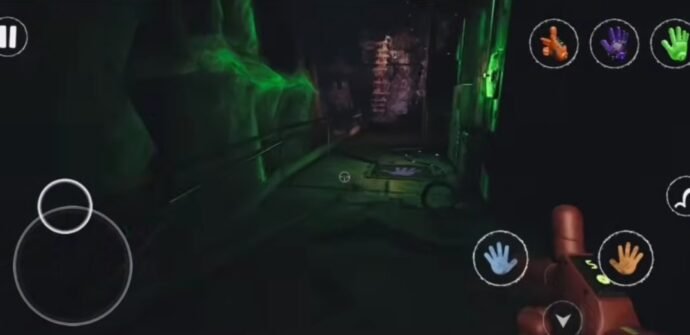
The game can also behave differently from one device to another. Current Google Play reviews show that some players experience crashes or freezes while others report relatively smooth gameplay.
Can You Completely Remove the Lag?
Not always.
If your phone doesn’t have enough hardware performance for the game, changing settings may reduce the problem but cannot guarantee perfectly smooth gameplay.
Likewise, if the problem is caused by a game-specific bug, the best solution may require an update from the developer.
Frequently Asked Questions
Why is Poppy Playtime Chapter 4 lagging on Android?
It can be caused by graphics settings, device performance, overheating, background apps, storage limitations, or game-specific issues.
How can I reduce FPS drops in Chapter 4?
Start by lowering available graphics settings, closing background apps, keeping your phone cool, and restarting the game.
Why does Chapter 4 keep crashing?
Crashes can be caused by device compatibility, software problems, or bugs in particular sections of the game. Check for game and Android updates first.
Is Poppy Playtime Chapter 4 officially available on Android?
Yes. The official Google Play listing identifies Poppy Playtime Chapter 4 as a Mob Entertainment game available for Android devices.
Final Thoughts
If Poppy Playtime Chapter 4 is lagging on your Android phone, don’t immediately assume that you need a new device.
Start with the simple fixes: lower the graphics settings, close unnecessary apps, keep your phone cool, free up storage, restart the game, and check for updates.
If the problem continues, especially if the game crashes at the same location every time, it may be a game-specific issue rather than ordinary FPS lag.
For the safest experience, use the official version of Poppy Playtime Chapter 4 and keep it updated.